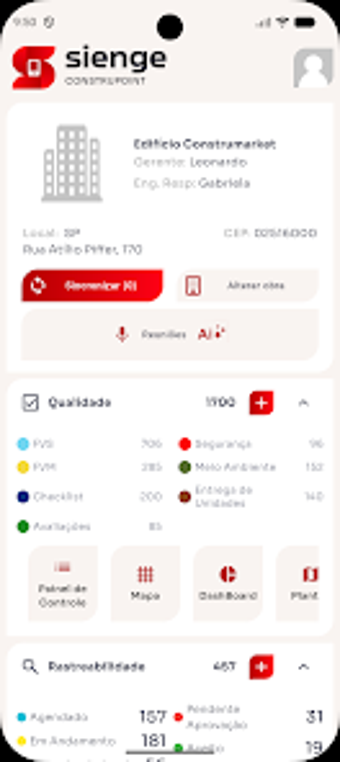
Mobile field management for construction sites with BIM and offline support
Digitizes daily field records, quality checks, and BIM access directly from onsite Android and iPad devices, capturing photos with geolocation and timestamps. Construmarket supplies a mobile front end to the Sienge ERP ecosystem, combining Digital Daily Work Reports, FVS and FVM inspection forms, and Microsoft Project imports. The app targets site engineers, project managers, and inspectors who need real-time field-to-office continuity and reduction of paper-based rework in active construction projects.
Field reporting and inspections are moved onto the device
Daily Work Reports (RDO) and digital Service Verification (FVS) and Material Verification (FVM) forms let teams record site activities and inspections in situ. The app captures photos with timestamps and geolocation, so entries include visual evidence tied to coordinates and time. These organized inputs replace separate paper logs, which supports more consistent record-keeping for engineers and quality inspectors on site.
Project schedules and BIM models come to the point of execution
Construpoint opens Microsoft Project schedules and exposes a visual BIM viewer, enabling site staff to consult build sequences and 3D plans without returning to the office. Import and monitor schedule progress from the field, which helps bridge planning and execution. The BIM viewer brings engineering-level drawings into inspection and task-resolution workflows used by foremen and site engineers.
Offline data capture suits remote or low-connectivity sites
The app supports offline mode for recording activities where connectivity is limited, then synchronizes entries when a connection is available. That design reflects the mobile realities of construction sites and lets field teams continue work without live network access. Synchronization is native with Sienge ERP, removing a manual re-entry step for back-office staff after uploads complete.
Performance and integration carry practical trade-offs
Native synchronization with Sienge ERP simplifies data flow, but user feedback highlights a need for ongoing synchronization performance optimization during uploads. The app is available for Android and optimized for iPad on iOS, which matches diverse device inventories on projects. Teams already using Sienge get the clearest integration benefits; others may find the linkage less valuable until they adopt the same back-office platform.
Sienge Construpoint suits teams embedded in the Sienge ecosystem
For construction companies already on Sienge, the app tightens field-to-office processes and reduces paper handling across quality, reporting, and schedule checks. It favors site-focused professionals who accept occasional synchronization delays in return for offline capture and integrated BIM access. Smaller teams not using Sienge may not realize the same workflow gains without adopting the wider platform.